

reading time: 16 minute(s)
You’ve probably filed 1099s the same way for years. Your software produces a file, it goes to the IRS, and the job is done until next year. Now you keep hearing that FIRE is on its way out and IRIS is replacing it, and the questions start piling up.
Will your file still work? Does your software or provider have a plan? Who applies for the credentials, and how long does that take?
The short answers are not reassuring.
For tax year 2026, IRIS is the only way to e-file 1099s with the IRS, and your file can’t go straight into it. Behind that sits a longer to-do list than most filers expect: credentials to apply for, formats to convert, state filings to track, and copies to send to every recipient. A rejected return, a missed state form, or a recipient who never got their copy can eat days you don’t have.
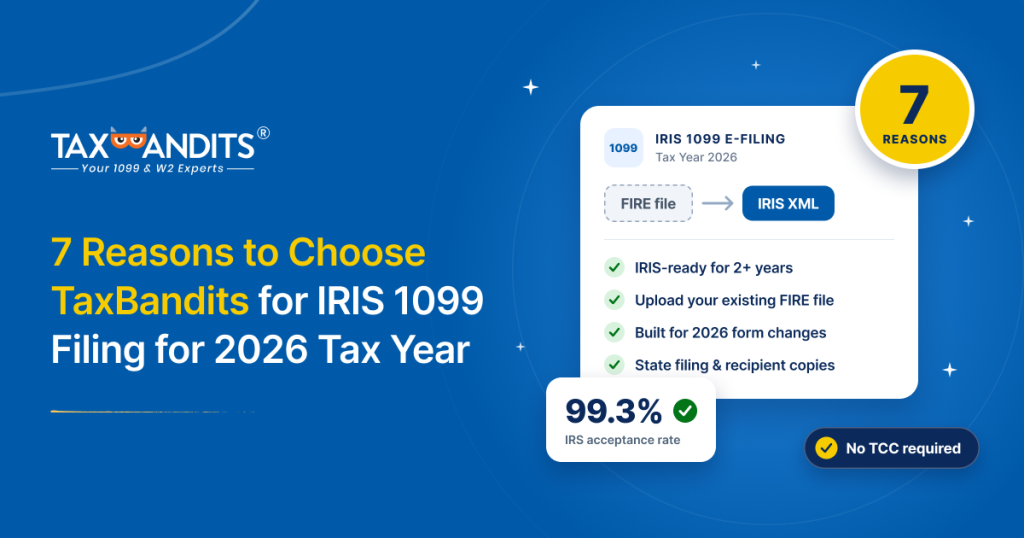
TaxBandits has been IRIS-ready for more than two years. Here are seven reasons filers choose us.
1. IRIS-ready for more than two years
At TaxBandits, we’ve been filing through IRIS for more than two years and have been through multiple filing seasons, so you aren’t the test case for a new connection.
- A proven connection to the IRS. Our IRIS authorization and transmission setup are already approved by the IRS and used for live filings.
- Checks tuned to IRIS. IRIS holds data to a stricter standard than FIRE did, and our validations were built around the errors it returns.
- A team that has seen it before. Our support team has worked real IRIS rejections, so you get answers rather than guesses.
Over that time, we’ve reached a 99.3% IRS acceptance rate.
2. No TCC and no setup
Filing on your own starts with credentials. You apply for an IRIS Transmitter Control Code (TCC), the IRS-issued ID that authorizes you to transmit returns, and approval can take up to 45 business days. A direct connection adds a separate API Client ID, test transmissions with the IRS, and XML you have to build and maintain. An application started today could land in December, just before the first deadline.
TaxBandits is an IRS-authorized e-file provider and files under its own IRIS authorization. You skip all of it and start filing the day you sign up. No TCC required.
3. Upload the FIRE file you already have
For most filers, the biggest worry is the file itself. A FIRE file holds years of working setup: your payers, your recipients, and an export your software already knows how to produce. IRIS can’t read it directly, and rebuilding it by hand is slow and easy to get wrong. With TaxBandits, you don’t rebuild anything.
- Keep your export. Upload the file as your software produces it, with no reformatting and no re-keying.
- We do the conversion. TaxBandits turns it into the XML IRIS requires, and you never see or edit it.
- Check before you file. A preview shows the first records so you can confirm values landed in the right fields, and our checks flag problems before anything is sent.
For the full upload process, the checks to run on your file and how to reconcile the results, see our step-by-step guide to filing 1099s from a FIRE file.
Other ways to bring your data in
Not every filer starts with a FIRE file, so TaxBandits supports more routes:
- CSV upload: Fill in our template when your data lives in spreadsheets
- Accounting integrations: Connect QuickBooks, Xero, FreshBooks or Zoho Books, and we build the forms and request W-9s for missing TINs
- API: Create, validate, and transmit returns from your own software, with status reporting and a sandbox for testing, which suits platforms paying thousands of recipients
4. Built for the 2026 form changes
This is where a FIRE file needs a little help. Tax year 2026 forms add boxes that a standard FIRE file has no place for:
- 1099-NEC and 1099-MISC: cash tips, tipped occupation codes, and overtime
- 1099-K: cash tips and tipped occupation codes
- 1099-R: Trump account boxes
You have two ways to add them, so the file you already have still works:
- Before you upload: write the new fields into your file at set positions.
- After you upload: add them through a separate CSV.
If none of your recipients have tips or overtime, there’s nothing to change.
5. Errors caught before filing
IRIS checks data closely, and a mismatched TIN is the kind of problem you want to find before you file, not after the IRS flags it. TaxBandits checks first:
- TIN Matching compares recipient names and TINs against IRS records
- Field-level validation checks required fields against IRS rules
- Smart Review flags missing or inconsistent details
- Automated W-9 requests go to recipients whose TINs don’t match, so you aren’t chasing them yourself
6. State filing and recipient copies handled
Filing with the IRS is only part of the work, and these are two jobs many filers don’t realize are separate until the deadline is close.
- State filing: IRIS covers the federal side only. Combined Federal/State filing, where the IRS
forwards your data to participating states, is free with TaxBandits, and we file directly with states that require it. - Recipient copies: Every recipient is owed their own copy, with a deadline of its own. We deliver them by Postal Mailing or Online Access, so there’s nothing to print or send.
7. Live status and help when something needs fixing
Every return shows a live status: Accepted (the IRS took it), Accepted with Errors (taken but flagged, often a TIN or name mismatch), or Rejected (not taken). You always know where each return stands.
If a return is Accepted with Errors, the Bandit Commitment covers the cost of filing the 1099 correction. For rejected returns, our team helps you find the issue and retransmit.
Don’t let January surprise you
Filing season arrives quickly, and the first big deadline is on February 1, 2027. Request a demo or start your FIRE-to-IRIS switch with TaxBandits, and let us handle the hard parts.
Leave a Comment