

reading time: 13 minute(s)
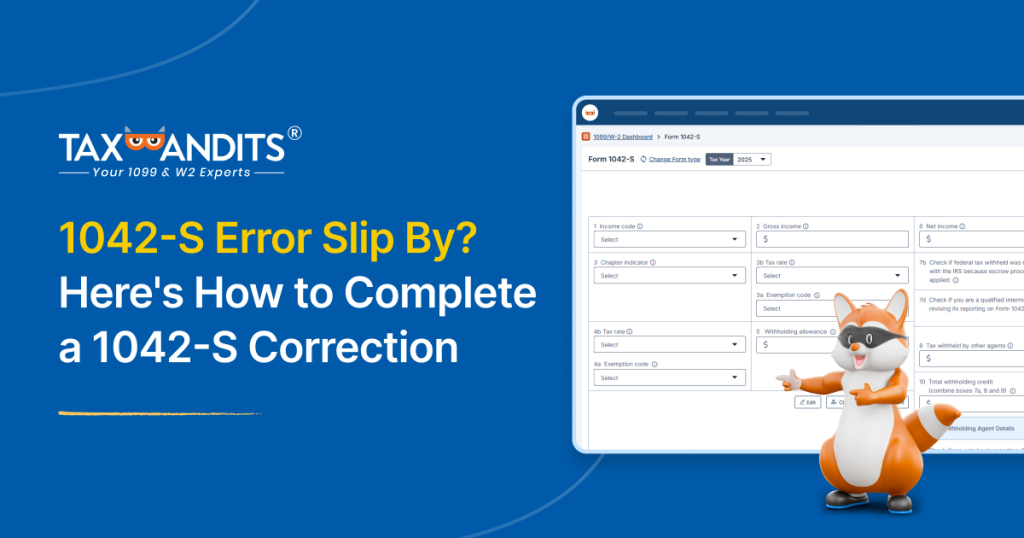
You recently finished filing your business’s 1042-S forms, and now… You realize there’s an error.
This is an awful feeling, especially right after you cleared time from your busy schedule to wrap up your reporting. It’s just another thing on your long to-do list, and you feel like you simply don’t have the capacity to correct it.
Thankfully, corrections don’t have to be complicated or time-consuming. We’ll walk you through what you need to know to quickly fix the error.
What Can Be Electronically Corrected
Most 1042-S information can be corrected online if the original form was e-filed, helping simplify the process.
This information includes:
- Income code
- Gross and Net income
- Chapter indicator
- Exemption code and tax rate
- Payer’s information (TIN, Name, etc.)
- Recipient information (TIN, address, etc.)
However, withholding agent information (name and TIN) cannot be corrected electronically. Instead, send a letter to the IRS requesting the correction.
When to Submit Your 1042-S Correction
You can submit your correction as soon as the original form is accepted by the IRS. It’s important to submit your correction promptly to avoid IRS notices or penalties, but keep in mind that there are a few errors that do not require a correction:
- Only the recipient address is incorrect: Simply update your records and be on your way.
- The form never should’ve been filed: Once the return is accepted, submit a voided form (set all amounts to zero) to cancel the original filing.
- You only sent recipient copies: If you never submitted the form to the IRS and only sent recipient copies, all you need to do is ensure recipients receive the correct copy.
How to Correct Your 1042-S
Now that you understand what to correct and when, you may feel the actual submission is the most stressful part. However, the process can be straightforward.
Simply follow the steps below, and you’ll be done before you know it.
Original Form was E-Filed
If you filed your form, there are typically two methods of correction through either the IRS IRIS system or your e-file provider.
- Use the same unique form identifier as the original form.
- Check the “Amended” box.
- Add the amendment number.
- Must be one digit and start at “1,” increase sequentially for each subsequent amendment.
- Update information and submit.
E-file provider steps depend on who you filed with, but TaxBandits keeps the process simple and streamlined with these steps:
- Choose the 1042-S you’d like to correct from your TaxBandits 1099/W-2 dashboard.
- Update information.
- Select preferred recipient copy distribution method.
- Review and transmit to the IRS.
We’ll electronically send the correction to applicable states for free. If the state agency requires paper corrections, we’ll mail it to them for a small postal fee.
Note: We currently only support 1042-S corrections for forms originally filed in TaxBandits. However, we do cover the correction fee as part of our Bandit Commitment.
Paper-Filed or Updating Withholding Agent Information
Filing a paper correction takes more manual effort, but it’s still manageable for a few forms.
Correction steps:
- Add all information and enter an “X” in the “Amended” box and add the amendment number.
- File corrected 1042-S with a Form 1042-T.
- Send to the address on the 1042-T instructions.
Updating withholding agent information steps:
- Write a letter to the IRS with this information:
- Withholding agent name, address, and TIN.
- Description of error.
- Tax year and type of return.
- Number of recipients.
- Filing method.
- Whether federal income tax was withheld.
- Transmitter Control Code (if you originally filed through TaxBandits, contact support for this).
- Send to this address:
Internal Revenue Service
Information Returns Branch
230 Murall Drive, Mail Stop 4360
Kearneysville, WV 25430
Don’t Forget the Recipient Copies
As you breathe a sigh of relief that you completed your corrections, don’t forget that your recipients need updated information, too! While manually sending out copies strains your workflow, you can keep it simple with TaxBandits’ recipient copy distribution.
If you submit your correction through us and originally opted for recipient portal access, we’ll automatically update it. Otherwise, re-enable postal mailing for trackable delivery.
Filed elsewhere? No worries! TaxBandits remains committed to your filing success, so use our Online Access or domestic/international postal mailing for your recipient copies.
Conclusion
Discovering an error after filing is stressful and frustrating, especially when you’re running a business. The good news is that it doesn’t have to add unnecessary pressure. By understanding the correction process and using solutions like TaxBandits, you can make it straightforward and quickly return to your workflow.
So, what’re you waiting for? Log in or sign up with TaxBandits today!
Leave a Comment