

Zero-Wage Form 941 for Q3 2026: When You Still Need to File
reading time: 11 minute(s)
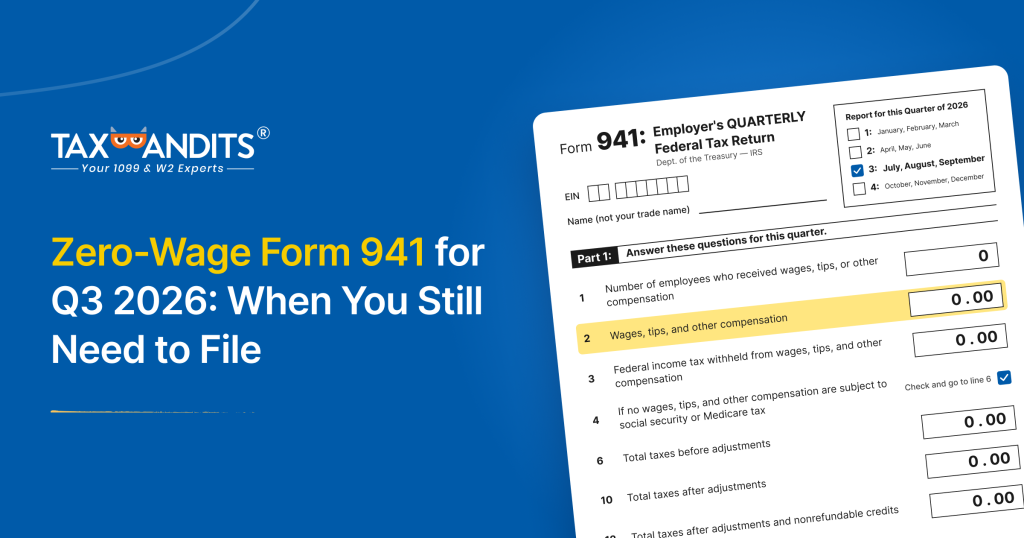
Payroll goes quiet for plenty of businesses. A seasonal operation closes for the winter, or a startup pauses hiring while it waits on funding. With no paychecks going out, it’s easy to assume there is nothing to report to the IRS.
That assumption catches many employers off guard. The Form 941 requirement follows your status as an employer, not your payroll size in a given quarter. If you paid no wages, you may still need to file a zero-wage Form 941.
This guide explains who must file one and how to complete it.
Do you have to file Form 941 if you paid no wages?
Yes, in most cases. Once you are required to file Form 941, you must file every quarter, even with no wages, no withholding, and no tax due.
A zero-wage return is the standard Employer’s Quarterly Federal Tax Return with zeros in place of wage and tax amounts. It lets the IRS match the quarter to your active account instead of treating it as unfiled.
However, the filing requirement depends on your circumstances.
- You temporarily stopped paying employees: You generally must continue filing Form 941 while the filing requirement remains in effect.
- You had no payroll during the quarter: You may need to file a zero-wage return if your business remains subject to quarterly filing requirements.
- You operate a seasonal business: You may not need to file for quarters when you paid no wages if you qualify for the seasonal employer exception and follow the applicable IRS instructions.
- You permanently closed your business or stopped paying wages: You generally need to file a final Form 941 and notify the IRS that you will not be filing future returns.
Before skipping a quarterly return, confirm that an exception applies to your business. Having no employees or payroll activity in a quarter does not automatically end your Form 941 filing obligation.
The exception: Seasonal employers
Seasonal employers may not need to file Form 941 for every quarter. If you operate a seasonal business and paid no wages during a particular quarter, you may qualify to skip filing for that quarter.
To use this exception, you must indicate your seasonal employer status on Form 941 as instructed by the IRS. If you are unsure whether your business qualifies, review the current Form 941 instructions before skipping a return.
Best practices for zero-wage Form 941 filing
If you need to report zero wages for this quarter, follow these practices to help ensure your return is accurate and filed on time.
1. Check every payment, not just paychecks.
Wages are reported for the quarter in which they are paid. Review the full quarter for bonuses, commissions, sick pay, tips, and pay to officers who are employees. If you paid any of these, file a regular return instead of a zero-wage one.
2. Enter zeros instead of leaving lines blank.
Complete the applicable lines according to the Form 941 instructions, and review the return before you sign it. Blank lines can raise questions that a fully completed return avoids.
3. Mark your status boxes correctly.
If the business has closed or permanently stopped paying wages, check line 17 and enter the date you last paid wages. Seasonal employers check line 18 on each Form 941 they file. A zero-wage return alone does not close your payroll account or exempt you from future quarters. Only a final return closes it.
4. Check your state obligations.
Many states have their own quarterly withholding and unemployment wage reports, and some require a filing even when no wages were paid. A zero-wage Form 941 does not satisfy those.
5. Keep a copy of the return and your payroll records.
If the IRS asks about the quarter later, these documents show that no wages were paid.
When is Form 941 due?
Form 941 is due on the last day of the month after each quarter ends. When a due date falls on a weekend or legal holiday, the deadline moves to the next business day.
| Quarter | Months covered | Due date |
| Q1 | January to March | April 30 |
| Q2 | April to June | July 31 |
| Q3 | July to September | October 31 |
| Q4 | October to December | January 31 |

Important: The IRS allows 10 additional calendar days to file when all required deposits were made on time and in full. A zero-wage return has no deposits to make, so check the current Form 941 instructions before relying on the extra time.
How TaxBandits helps you file zero-wage Form 941
Filing a zero-wage return does not have to mean entering zeros manually throughout the form. TaxBandits offers a Zero Reporting feature that automatically populates applicable Form 941 fields with zeros when you indicate that no employee payments were made during the quarter.
Here’s how you can use the feature:
- Log in to TaxBandits: Sign in to your account or create one to get started.
- Select Form 941: Choose the appropriate tax year and quarter, then select Q3 2026.
- Choose Zero Reporting: Indicate that no payments were made to employees during the quarter, using the applicable option in the filing workflow.
- Review your return: Check the populated fields and complete any other information required for your situation.
- Sign and e-file: Submit your return electronically and monitor its filing status.
Ready to file your zero-wage Form 941 for Q3 2026? Use TaxBandits to prepare and e-file your return.
Leave a Comment